
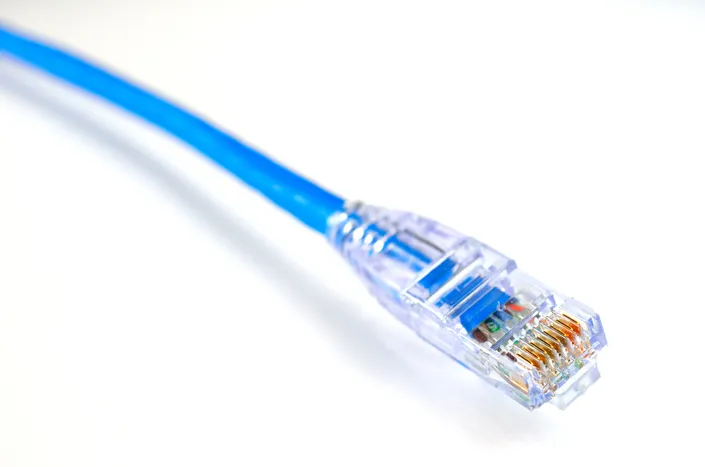
Choosing the right network cable affects speed, distance, and reliability far more than most people expect. From the everyday Cat6 cable running to a home router to the fibre optic backbone connecting entire buildings, each cable type is built for a specific job.
Quick Answer
Cat5e supports speeds up to 1 Gbps and suits most home networks. Cat6 supports up to 10 Gbps over shorter distances and is the current standard for new installations. Cat6a extends that 10 Gbps performance over longer runs with better shielding. Fibre optic cable offers the highest speed and longest distance, used mainly for backbones between buildings or server rooms.
Copper Ethernet Cable Types
- Cat5e. Supports up to 1 Gbps over 100 metres. Still common in older installations but largely replaced by Cat6 in new builds.
- Cat6. Supports up to 10 Gbps over shorter distances (around 55 metres) or 1 Gbps over the full 100 metre run. The most common choice for new home and office installations today.
- Cat6a. An improved version of Cat6 with better shielding, supporting 10 Gbps over the full 100 metre distance, making it suitable for demanding business networks.
- Cat7 and Cat8. Offer even higher performance and shielding, typically used in data centres and specialist environments rather than standard offices.
Fibre Optic Cable
Fibre optic cable transmits data as light rather than electrical signals, allowing much higher speeds over far greater distances than copper cabling, with no risk of electromagnetic interference. Single-mode fibre is used for long-distance connections between buildings or cities, while multi-mode fibre suits shorter high-speed runs within a single site, such as connecting server racks.
Indoor vs Outdoor Network Cable
Outdoor network cable includes additional protection against moisture, UV exposure, and temperature extremes that standard indoor cable cannot withstand. Running standard indoor cable outside, even for a short distance, risks premature failure from weather exposure. Always choose outdoor-rated cable for any run between buildings or exposed to the elements.
How to Choose the Right Cable Length
Measure the actual route the cable will take, including any vertical runs through walls or ceilings, then add extra length for slack at both ends. Buying a cable that is too short leads to tension on connectors, while one that is too long creates unnecessary cable clutter that can also affect airflow in equipment cabinets.
Testing and Troubleshooting Network Cables
A network cable tester checks for continuity, correct wiring, and physical faults along the cable run. This is particularly useful when troubleshooting an intermittent connection, since a visually intact cable can still have internal damage or incorrect termination that only a proper tester will reveal.
Cable Types Compared
| Cable Type | Max Speed | Typical Use |
|---|---|---|
| Cat5e | 1 Gbps | Home networks, older installations |
| Cat6 | 10 Gbps (short runs) | Standard for new installations |
| Cat6a | 10 Gbps (full 100m) | Business networks needing consistent high speed |
| Fibre (multi-mode) | 10 Gbps+ | Server rooms, short high-speed runs |
| Fibre (single-mode) | 100 Gbps+ | Long-distance and inter-building links |
How Cabling Connects to Your Broader Network
Cabling is the physical foundation every switch and connected device relies on. See our network switch buying guide for how to match your cabling choice with the right switch hardware for your network.
Frequently Asked Questions
What is the difference between Cat5e and Cat6 cable?
Cat6 supports significantly higher speeds, up to 10 Gbps over shorter distances, compared with Cat5e’s maximum of 1 Gbps.
Do I need Cat6a instead of Cat6?
Cat6a is worth choosing if you need consistent 10 Gbps performance over the full 100 metre distance, otherwise standard Cat6 is sufficient for most networks.
Can I use indoor cable outside?
No. Standard indoor cable is not designed to withstand moisture and temperature extremes, and will degrade faster than outdoor-rated cable.
Why would I need fibre optic cable instead of copper?
Fibre supports much higher speeds over far greater distances and is immune to electromagnetic interference, making it ideal for backbones and long inter-building links.
How do I know if a network cable has failed?
Intermittent or lost connections despite a visually intact cable are common signs. A network cable tester can confirm continuity and correct wiring.
Related Reading
- Network Switch Buying Guide
- LAN Network: Advantages and Disadvantages
- Network Security: A Complete Guide for Businesses
For official cabling standards referenced in this guide, see the ISO/IEC 11801 structured cabling standard.